Checklist: where to publish your online shop
Your online shop is ready. Products are in, prices are right, the photos look good. And then… not much happens.
That's normal. A shop link only works if your customers come across it in the places they already look: Google, your Instagram, your WhatsApp chats, the counter in your shop. Most food businesses publish the link once and forget the rest.
This checklist helps you put your shop link everywhere it should be. Go through it once, tick what's done, and come back to it when you change something.
1. Your online channels
Start here. These are the places people already search for you or talk to you.
- Google Business Profile: add the shop link as your website or as the "Order" link
- Google Business Profile: post an update that you now take orders online
- Check that your opening hours and pickup times match the shop
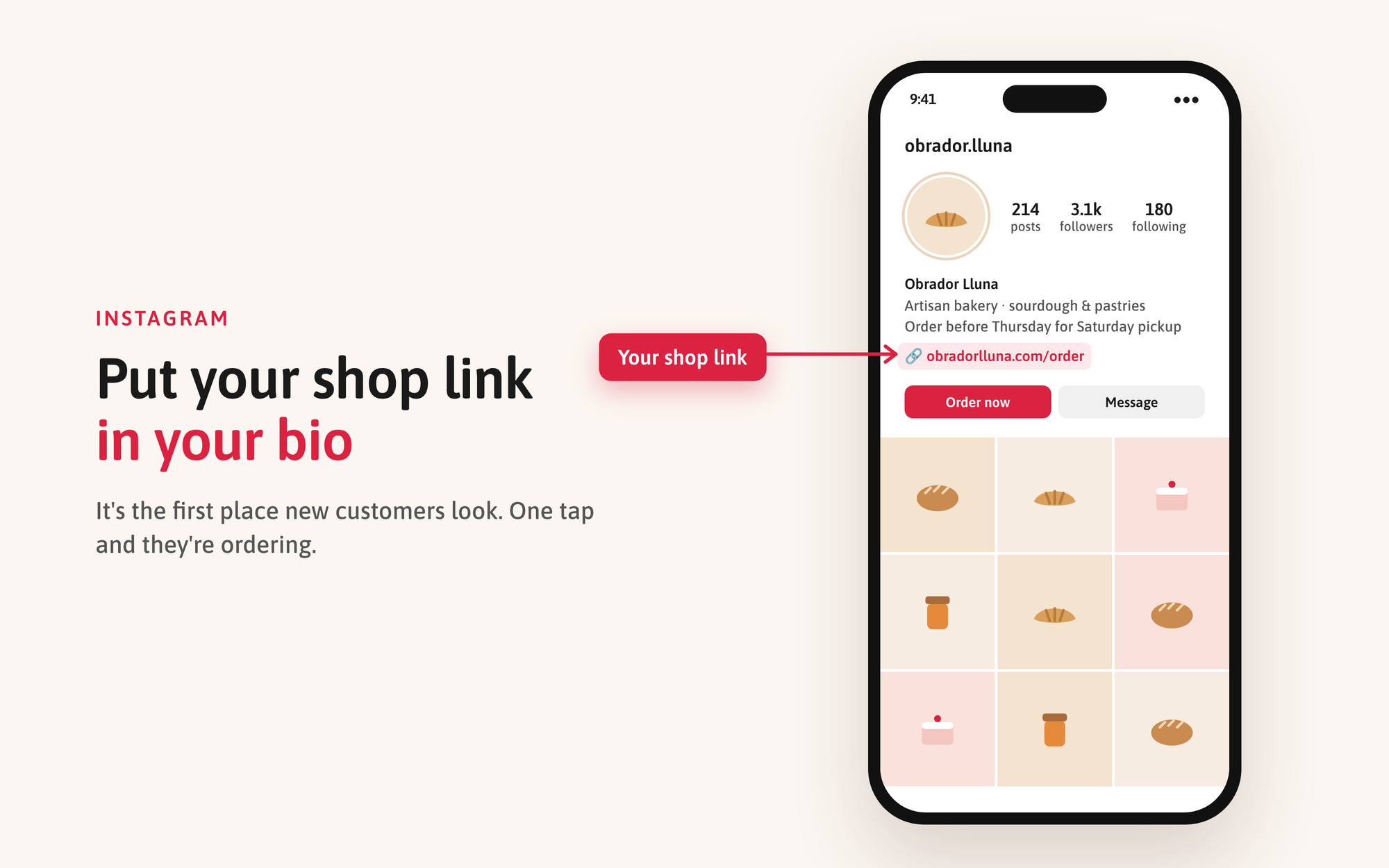
- Shop link in your bio (or as the first link if you use several)
- "Order" or "Shop" action button on your profile
- A pinned post or highlight that explains how to order
- Link sticker in your stories every time you post a new product or a weekly menu
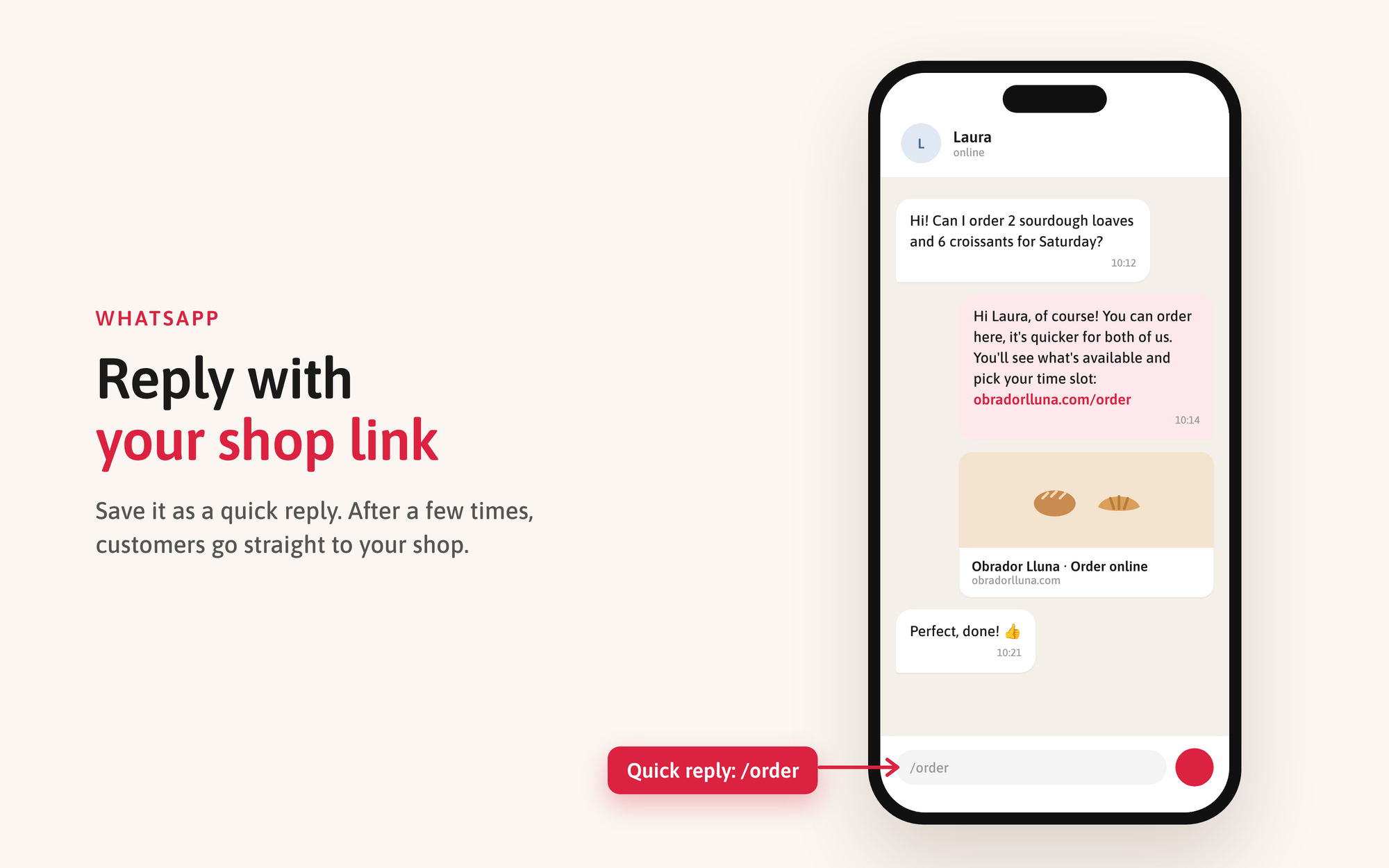
- Auto-reply or saved reply for DMs: "You can order here: [link]"
WhatsApp Business
- Shop link in your business profile
- Greeting message and away message with the link
- Quick reply (for example /order) so you can send the link in two taps
- Status update when you launch new products or seasonal specials
- Shop link in the page info and on the main button
- A pinned post on how to order
Your website and email
- A clear "Order online" button on your homepage, not hidden in the menu
- Link in your email signature
- Link in your newsletter, if you send one
Other places
- Local directories and food guides you are listed in
- TripAdvisor, Yelp or similar, if customers find you there
- LinkedIn company page, if you sell to businesses
2. Offline, where your customers already are
Your best future online customers are the ones standing at your counter today. Make the link easy to scan.
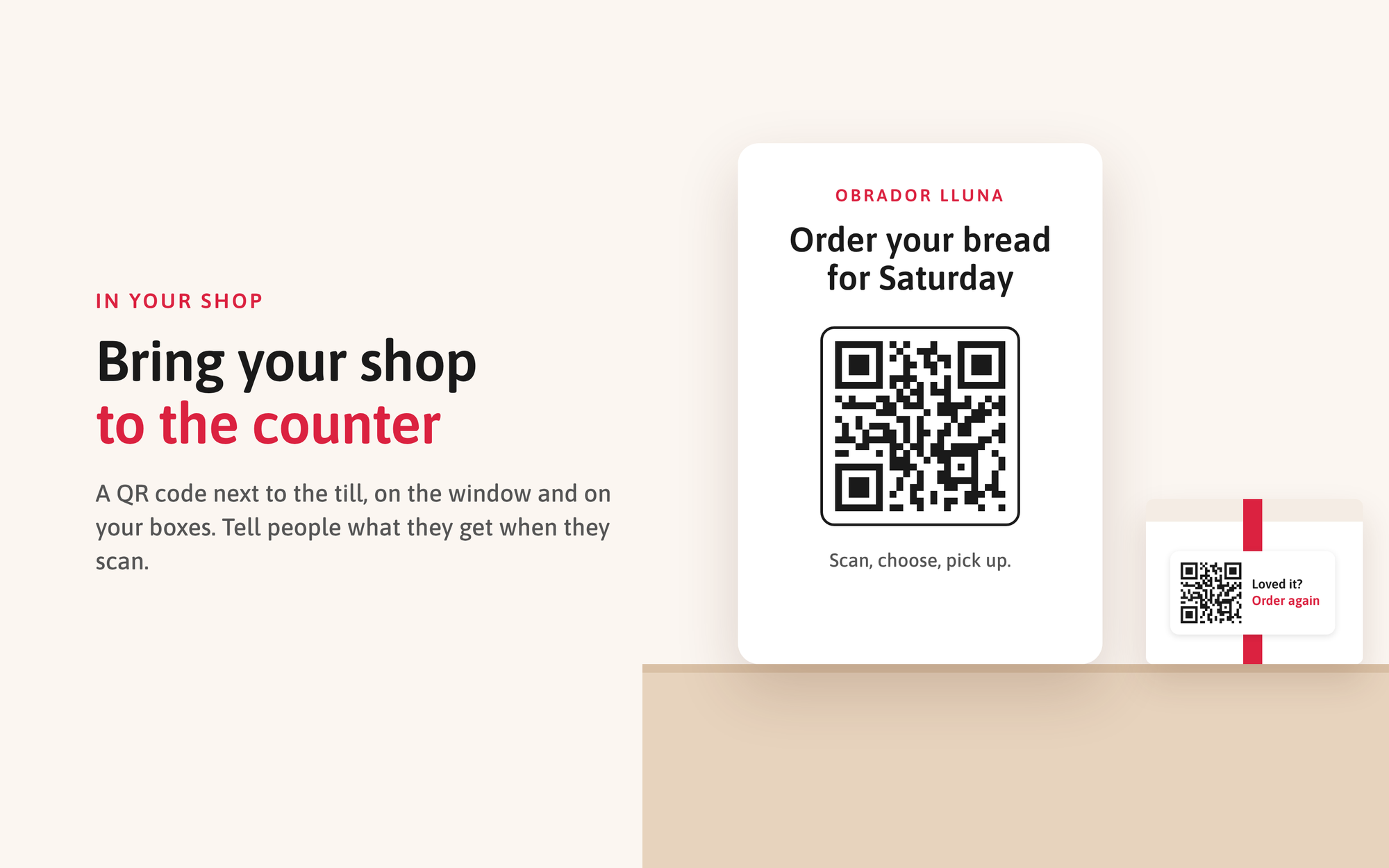
- QR code at the counter or next to the till
- QR code on the shop window or door, for when you're closed
- QR code or short link on packaging, boxes and bags
- Stickers or labels on cake boxes and jars
- Receipts or invoices
- Business cards and flyers
- Your stand at markets, fairs and events
- Delivery vehicle or food truck, if you have one
One tip: next to the QR code, write what people get. "Order your bread for Saturday here" works better than just "Scan me".
3. Business customers and partners
Do you supply cafés, restaurants or shops? They often order by WhatsApp, phone or email. Give them a fixed place to order instead.
- Send each business customer the link with a short note on how ordering works now
- Add the link to your invoices and order confirmations
- Pin the link in the WhatsApp chat with each regular customer
- Ask partners who resell or recommend you (shops, caterers, event planners) to share the link
- Add it to your price list or product sheet
4. Make it work, not just visible
Publishing the link is half the job. These habits make customers actually use it.
- Use one link everywhere. Don't send people to different pages in different places. One link is easier to remember and easier to update.
- Test it. Open the link on your phone, from Instagram and from WhatsApp. Place a test order. Broken or outdated links lose customers quietly.
- Say it out loud. When someone sends a DM or calls to order, answer kindly and send the link: "You can order here, it's quicker for both of us." After a few times, people go there directly.
- Keep it up to date. Out-of-stock products, old prices or last year's Christmas menu make people go back to messaging you.
- Remind people regularly. Not everyone sees your bio. Mention the link in posts, stories and status updates, especially before busy moments like holidays.
Start with three
You don't have to do everything today. Pick three items: your Google Business Profile, your Instagram bio and a QR code at the counter. That already covers most of the places customers look for you.
Don't have an online shop yet, or is your current one not made for food? With OIDO you create your own online shop for your food business, with your products, your pickup and delivery options and your customers. Take orders, not messages.